Our NabWP Security area helps you understand the security condition of the selected WordPress website and act on findings that the enabled tools can detect. It can bring together known vulnerabilities, recommended security measures, WordPress file checks and available malware protection. The aim is to connect a finding with a useful next step instead of leaving you with an unexplained warning.
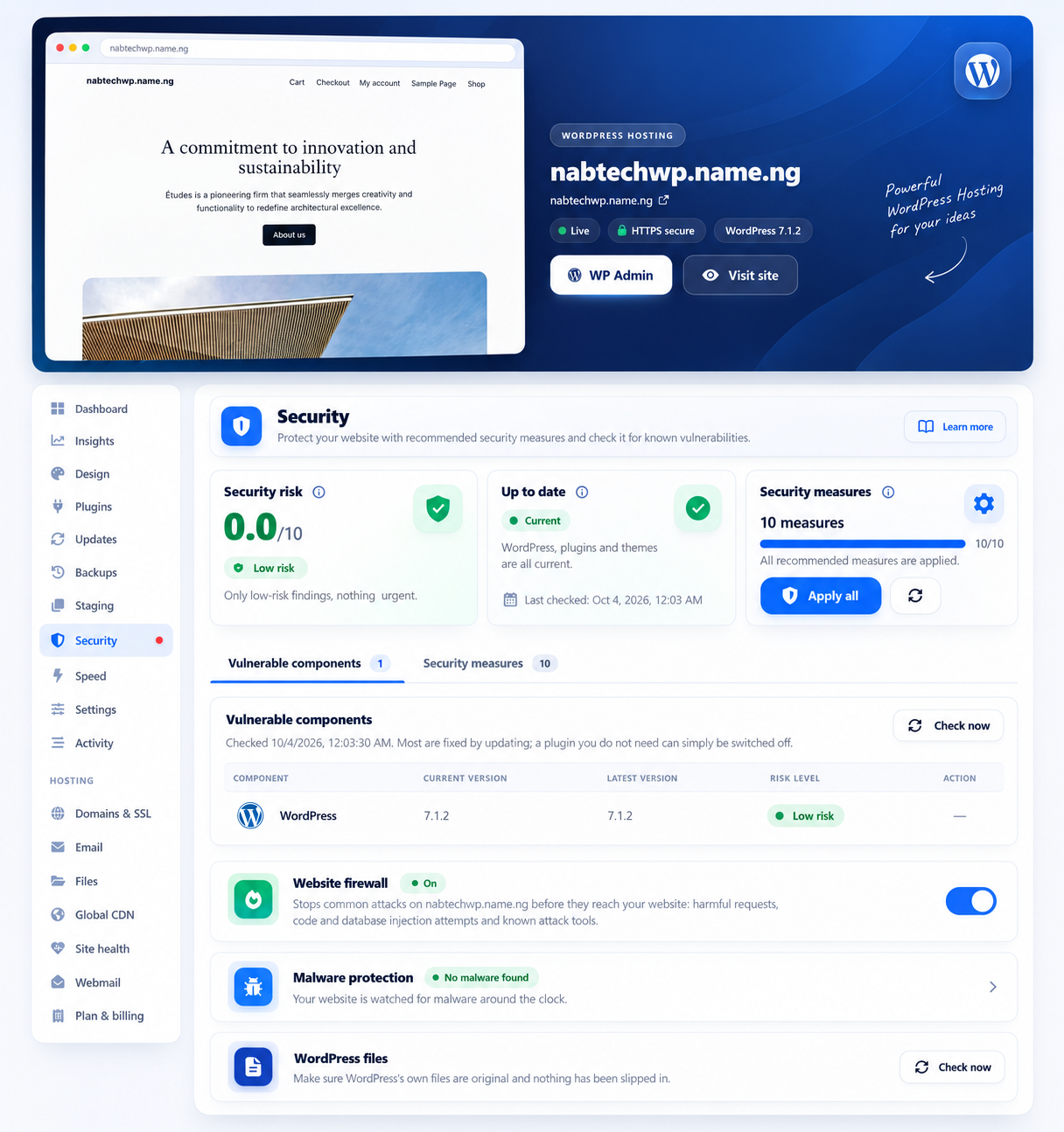
The NabWP product interface, as featured on our WordPress hosting page.
IN THIS ARTICLE
01 Choose an action that suits the finding
A vulnerability finding can identify the affected WordPress component, plugin or theme and indicate whether an update is available. Review both the severity and the component's role in your website. A plugin used for checkout needs a different change plan from an unused feature that can be safely removed after review.
The security controls may also show recommended hardening measures and, where enabled, additional protection such as a vulnerability shield. Read each action before applying it. Some measures change files or settings and are not reversible through the same control. Take a suitable backup before a significant security change and verify important website functions afterwards.
02 Understand the checks and continue routine protection
WordPress integrity checks compare core files with the expected release. A result helps identify unexpected differences, but it does not prove that every plugin, upload or database record is free of problems. Likewise, a dashboard with no known vulnerabilities is a report of the available checks, not a guarantee that a website cannot be compromised.
Keep administrator accounts appropriate to their users, maintain current software and investigate unexpected behaviour promptly. Our WordPress AI Engineer can help explain findings and investigate supported parts of the site. If you see redirects, unknown administrator accounts or recurring malware alerts, contact our team with the affected domain and observations so that the underlying cause can be assessed.
03 Example: turn three different findings into the right next action
Suppose Security shows a vulnerable checkout extension, an unexpected WordPress core-file difference and an optional hardening recommendation. These findings need different evidence and recovery planning. Select the correct site and record the affected component before acting.
| Finding | First useful action |
|---|---|
| Checkout extension vulnerability | Check the trusted update or replacement, preserve a recovery point and test the store workflow. |
| Unexpected core-file difference | Ask the Engineer or support to investigate the difference and related evidence; do not label it harmless solely because the homepage loads. |
| Hardening recommendation | Read which behaviour it changes, whether reversal is supported and which functions need retesting. |
Expected result: each finding has an owner, a defined action and a relevant verification. A general green indicator does not close an unresolved incident.
How should I choose an action for a WordPress security finding?
- Identify the affected component and whether the finding concerns a known vulnerability, unexpected core file or malware result.
- Review the proposed update, replacement or hardening action and preserve a suitable recovery point.
- After the change, rerun the relevant check and test the website function that the component supports.
A core integrity check does not inspect every plugin, upload or database value. A vulnerability list also reflects the checks available at the time, not proof that compromise is impossible. Escalate recurring changes or unknown administrator accounts even when another dashboard indicator appears healthy.